
Currently Empty: ₹0.00

How to Start a Blog in 2025 and Earn Money Through It?
1 Comment
HOW TO START A BLOG IN 2025
Starting a blog in India in 2025 sounds exciting, but most people get stuck choosing a topic, dealing with WordPress, or figuring out why nobody visits their blog. The result? Blogs with 5 posts, no traffic, and abandoned domains.
The internet is crowded. Blogging without a defined plan will not succeed in the age of AI content and evolving SEO guidelines. Your blog won’t appear if you choose arbitrary topics or neglect keyword research, which will result in no readers, no growth, and no revenue. From selecting a niche that aligns with your expertise and market need to using email and SEO to promote content, this article takes you through ten easy stages. You’ll discover how to use free resources to increase traffic, prevent burnout, and begin making money when the moment is appropriate.
PROBLEM: You Want to Start a Blog But Don’t Know Where to Begin
You’ve probably read the same advice over and over:
“Pick a niche, buy hosting, and start writing!”
That sounds easy, until you sit down and realize you’re stuck.
What should you write about?
How do you get people to read your blog?
Is blogging still worth it in 2025, or have video and social media taken over?
These are real concerns. Many people start blogs, but most never make it past the first few posts. According to Orbit Media’s 2023 Blogger Survey, only 32% of bloggers reported strong results. Why? Because they didn’t follow a clear strategy, they winged it.
Blogging is still very much alive in 2025. But the landscape has changed. AI-generated content, search engine algorithm shifts, and higher reader expectations mean you can’t just publish and hope for the best.
AGITATE: The Reasons Behind Most Blog Failures (And How to Prevent Them)
The first mistake is to begin without a clear goal.
Every day, thousands of new blogs are created. Every day, more than 7.5 million blog entries are published (Internet Live Stats, as of 2024). However, only a small percentage of those become popular.
The problem? The majority of novice bloggers get right into writing without any preparation.
Your blog becomes just another forgettable URL if you don’t know who your audience is or what issues you’re trying to solve.
Error #2: Fixing on the Inappropriate Instruments
The temptation to spend hours learning to write, comparing plugins, or altering themes is strong. But content, not perfection, is what gets you traffic. Design matters, but not more than consistency.
Third Error: Quitting Too Soon
The majority of bloggers anticipate immediate results. They anticipate 10,000 visitors every month and post five to six articles. They give up when that doesn’t occur.
Case Study: Year One Growth
Let’s examine a legitimate blog: SustainableKate.com, which was started in January 2023 by Kate M., an Oregon part-time teacher.
She had no audience at first, just published once a week, and didn’t spend any money on advertisements. By the end of her first year, she had increased her monthly pageviews from zero to twenty-eight thousand by concentrating on long-tail SEO and Pinterest distribution.
- Key lessons learned from Kate:
- wrote regularly (one post every week).
- focused on “search intent” subjects such as “kids’ eco-friendly lunch ideas.”
- Kate didn’t become well-known. She developed because she followed a plan.
SOLUTION: A Step-by-Step Guide to Starting a Blog in 2025
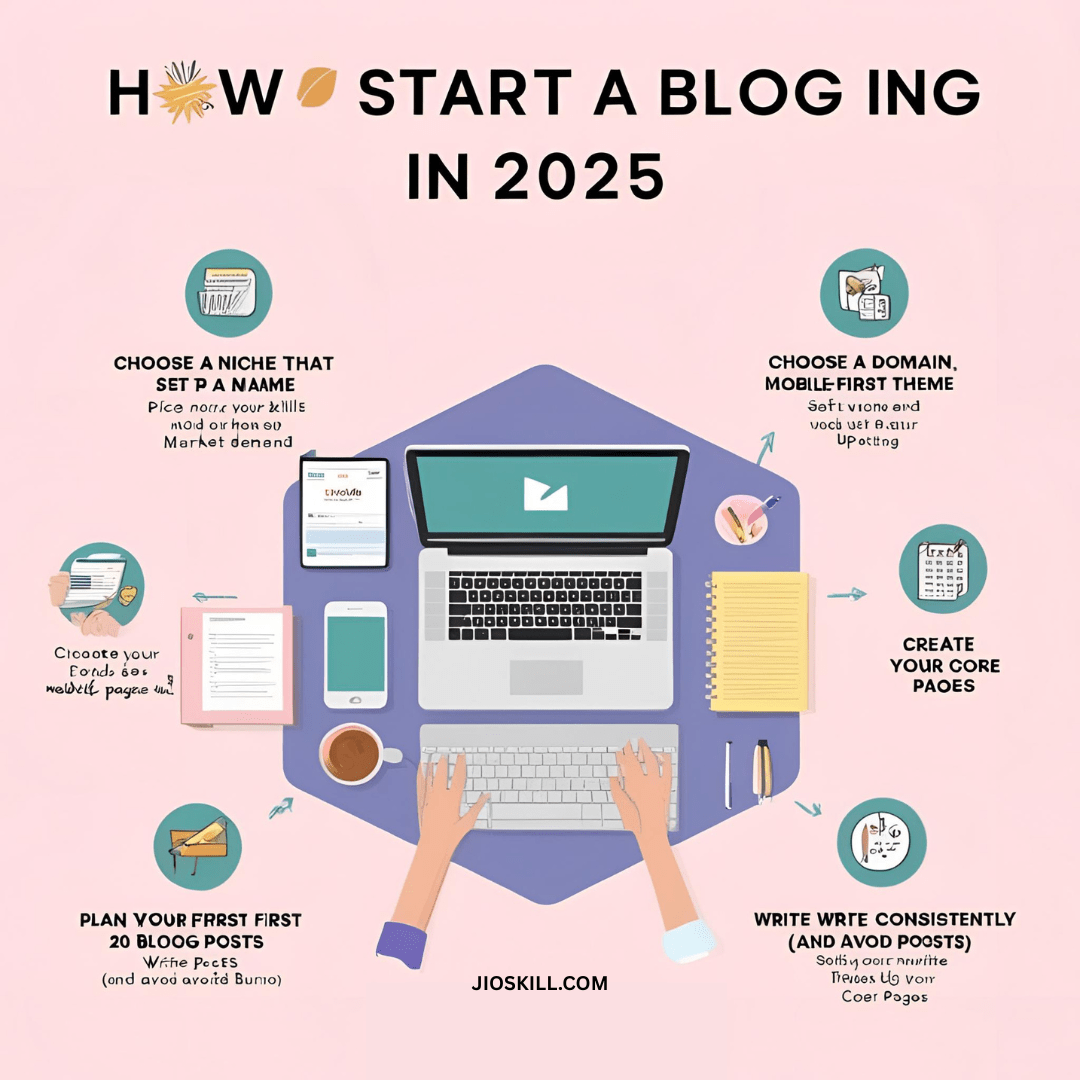
Even if you’re not tech-savvy, we’ll simplify this down into simple, doable steps that you can take now.
- Select a Niche Based on Market Demand and Your Skills
- Select a Domain Name and Configure Web Hosting
- Select a Simple, Mobile-First Design
- Make Your Main Pages
- Arrange Your Initial Twenty Blog Posts
- Write Regularly (and Prevent Burnout)
- Learn the Fundamentals of SEO for Bloggers
- Don’t just publish and hope for the best; promote your content.
- Create an Email List Right Away
- Make Money (Realistic)
1. Select a Niche Based on Market Demand and Your Skills
Problem: Without a plan, new bloggers sometimes choose fashionable or broad subjects. These are unfocused and difficult to develop or make money from.
Problem: An overly broad niche will draw either no audience at all or the incorrect kind. You’ll write to everyone, but you’ll also talk to
Solution: Determine where your knowledge and what people are already looking for overlap.
Utilize AnswerThePublic to find out what people are asking and Google Trends to confirm sustained interest.
Actual Case Information: Kate from SustainableKate.com chose “low-waste living for moms” rather than just “sustainability.” She received consistent traffic from Google and Pinterest as a result of her emphasis, which helped her rank for particular keywords like “eco-friendly school lunches.”
Don’t start with what’s “popular.” Start with what’s sustainable for you.
How to Validate Your Blog Idea:
- Google Trends: Check if the topic is rising or declining.
- AnswerThePublic: See what real people are searching for about the topic.
- Reddit & Quora: Observe what people ask repeatedly.
Tip: Look for overlap between:
- What you know
- What people care about
- What you can write 50+ posts on
Example niches that worked in 2024:
- AI tools for teachers
- Budget travel with kids
- Gluten-free meal prep for athletes
2. Choose a Domain Name and Configure Hosting Issues
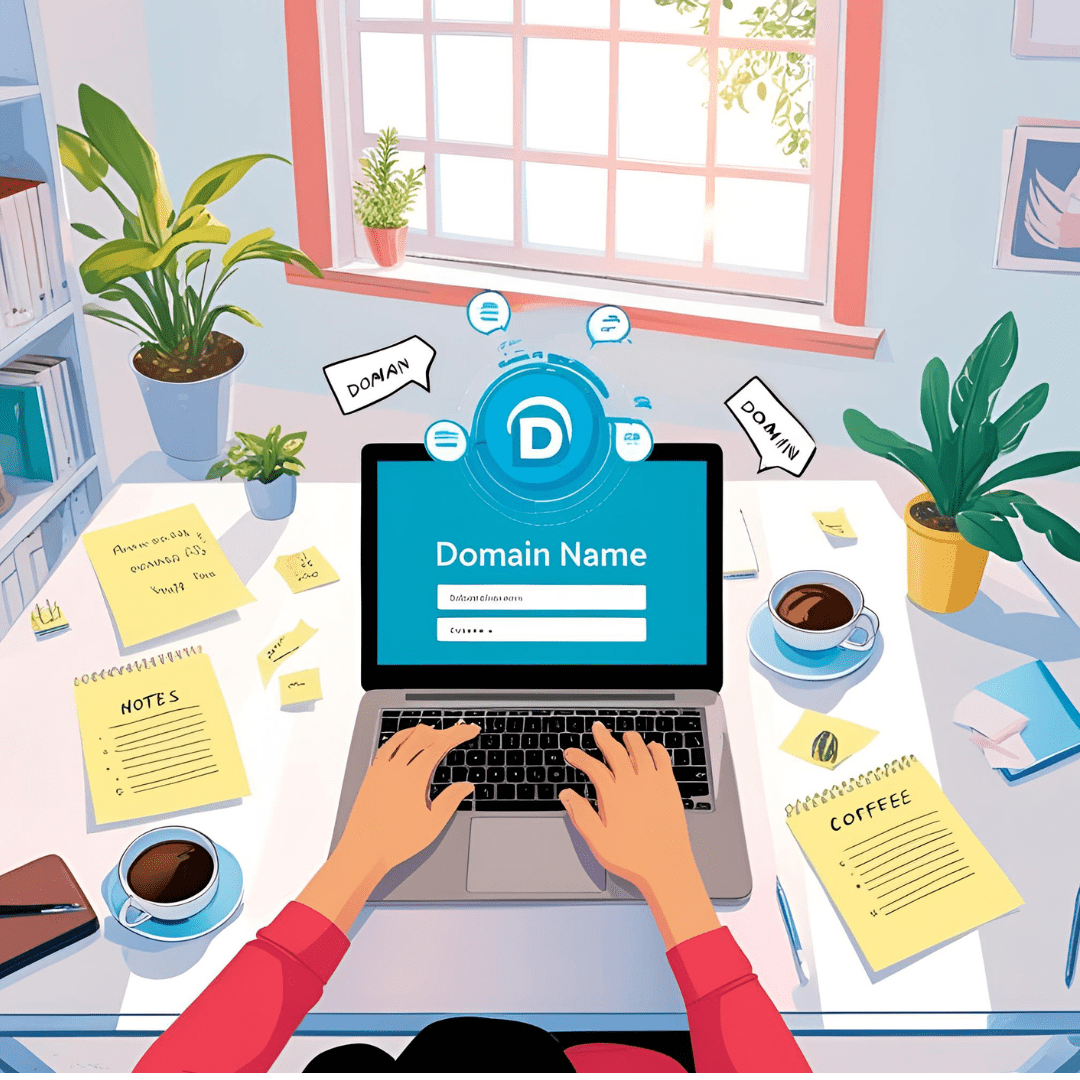
A lot of inexperienced bloggers struggle to decide on the “ideal” name or cut corners on unreliable hosting.
Problem: Google penalizes you if your website is slow or frequently unavailable, and visitors will leave. When you have to migrate or rebrand later, a bad setup in the beginning will cost you time.
Solution: Pick a clean, short.com domain. Choose a dependable, user-friendly hosting provider such as SiteGround or Hostinger; both offer strong uptime and one-click WordPress installations.
Advice: Hostinger has options for less than $3 per month with a free name for the first year if you’re on a limited budget.
3. Select a Simple, Mobile-First Theme Issue:
Expensive themes with an excessive number of features cause your website to load slowly.
Problem: 53% of visitors would abandon your blog if it takes more than three seconds to load (source: Google). Bloated themes degrade your search engine rankings and confuse readers.
Solution: Select a responsive, light-weight theme such as GeneratePress, Kadence, or Astra. Just use the plugins that you truly require.
Even with photos, SustainableKate.com’s mobile load time of 1.3 seconds was achieved by utilizing the Astra + Rank Math SEO plugin + WordPress Rocket.
4. Make Your Main Pages

Issue: When people visit your site, they see only posts. No direction, no context.
Problem: You lose the opportunity to establish credibility if you don’t have an About page or Contact information. Absence of a privacy policy? Google Ads and email collection are illegal.
Solution: Include these crucial pages when you first launch your blog: make money blogging
About:
- Your identity and the purpose of your blog
- Contact: An email address or a form
- Data compliance requires a privacy policy.
- Homepage: Links to important pieces and a brief introduction
- Pro tip: To build things up quickly, use a free plugin like WPForms or the built-in page editor in WordPress.
5. Arrange Your Initial Twenty Blog Posts
Problem: You run out of steam without a content strategy, so you post anything that comes to mind.
Problem: This results in disorganized categories, poor SEO, and a blog that lacks focus. Even worse, developing topic authority in search engines is challenging.
Create a three-month roadmap as a solution. Pay attention to a single category at a time.
To identify easy-to-rank terms with real search volume, use LowFruits.io or Ubersuggest.
A SustainableKate.com example:
She wrote on “eco-living for families” in her first 20 postings. Each provided an answer to a particular query, such as “How to pack zero-waste snacks for kids.”
6. Write Regularly to Prevent Burnout

Issue: A lot of novice bloggers burn out after publishing ten times in the first month.
Problem: Being inconsistent lowers your ranks and hinders the development of a following that has faith in your ability to show up.
Solution: Establish a timetable that you can stick to; one post a week will suffice to expand. Make an effort to write posts that:
Address a single, obvious issue
Add internal linkages.
Have a call to action (such as commenting or subscribing).
Fact Check: According to Orbit Media (2023), bloggers who post once a week are 2.5 times more likely to report “strong results.”
- Posting every day is not necessary. If your postings are well-written and optimized for search engines, once or twice a week should be plenty.
- Checklist for Writing:
- One main issue per post should be the focus.
- To split up text, use headers (H2, H3).
- Include one or two unique pictures or graphics.
- Provide links to more blog entries.
- Finish with a clear call to action (subscribe, share, or comment).
7. Understand the Fundamentals of SEO for Bloggers:
No matter how excellent your writings are, they will be lost without SEO.
Problem: 90% of the material gets no Google traffic. You’re invisible if you’re not optimizing.
- Learn the fundamentals of SEO as a solution. Make use of free resources such Plugin for Rank Math SEOGoogle Search Console
- wordpress for beginners
- Everywhere Keywords (browser extension)
Pay attention to:
- Each post should contain one main keyword.
- Including that keyword in the first 100 words, URL, and title
- Internal connections to related articles
Example Post: Because Kate focused on a particular keyword and organized the material for search engines, her post on “How to Reduce Plastic in Kids’ Lunches” is among the top three results for “plastic-free school lunch ideas” on Google.
8. Get Your Content Noticed (Don’t Just Post and Hope)
Issue: The majority of bloggers click “publish” and wait. Nothing takes place.
Problem: New blogs may take weeks for Google to index. If you don’t promote your material, social media sites won’t.
The answer is to devote as much effort to promotion as to writing. Channels that will work in 2025:
- Pinterest (particularly for parenting and leisure)
- LinkedIn is a wonderful platform for B2B and education blogging.
- Your most dependable source of traffic is email.
- Medium (for further reach, syndicate)
Case Study Data: 60% of Kate’s initial traffic came from Pinterest. She used Canva to make three vertical pins for each blog article. By the sixth month, she was averaging over 11,000 sessions per month from Pinterest alone.
9. Create an Email List Right Away. Issue:
Social media followers aren’t owned traffic and might vanish in an instant.
Problem: The algorithms are dynamic. Next week, your Instagram reach can decline by 90%. Email is dependable, straightforward, and conducive to conversions.
Solution: Provide a reward for sending an email. Utilize:
- MailerLite (free for the first 1,000 subscribers)
- ConvertKit (up to 300 free)
- Brevo (up to 300 free)
Ideas for Lead Magnets:
- PDF Checklist
- Mini-course
- Library of resources
A “Plastic-Free Family Starter Kit” was available on SustainableKate.com. Using a straightforward form and exit-intent pop-up, her list expanded to 1,800+ subscribers in just 12 months.
Your email list is your direct line to readers. Social media algorithms change—email doesn’t.
Starter Email Lead Magnets:
- PDF checklist
- Mini-course (3–5 emails)
- Access to exclusive blog content
Free Email Platforms to Start With:
- MailerLite (free up to 1,000)
- ConvertKit (free up to 300)
- Brevo (free up to 300)
10. Make Money (Really) Earn money blogging
Issue: By the second month, people anticipate making money. The majority don’t make do. money blogging.
Problem: Blogging isn’t a way to make a lot of money quickly. Early monetization or insufficient traffic burns your audience and yields no results.
Solution: Establish trust first. Second, monetize.
- Options if you have consistent material and between 5,000 and 10,000 visitors each month:
- Use Google AdSense or Ezoic for display ads. How to start a blog
- Promote goods you use through affiliate marketing (such as Impact, ShareASale, or Amazon).
- Digital Goods: Offer courses, templates, or printables for sale.
Services:
- Provide freelance writing or coaching
- Actual Information:
- By the fourth month, Kate had made her first $65 per month from affiliate links (Thrive Market + Amazon).
- By month twelve:
Affiliate revenue:
- about $400 per month
- $280 per month for sponsored posts
- Total: $680 per month (no sponsored advertisements, part-time blog)
Best Blogging Tools in 2025 (With Real Data), How to start a blog
1-Tools for Writing and Content Creation
[1] Google Documents
Use it for: Collaborating on blog drafts
Why? Free, instantaneous editing, simple formatting
Kate used Docs to draft each piece before copying it to WordPress.
[2] (Free or Premium) Grammarly
Use it for: Simple tone correction and proofreading
Why: Quickly detects basic typos and grammatical errors
According to Backlinko (2023), 90% of blog posts with the highest rankings have few grammatical problems.
[3] The Hemingway App
Use it to make your material easier to read. Why: It improves the readability of your content.
For the majority of niches, aim for grades 6–8.
2. Content Management System
WordPress.org
Use it for: Hosting your blog
Why: Open-source, flexible, 43% of all websites run on it
Kate’s setup: Used WordPress with Astra theme and Rank Math SEO plugin.
Alternatives:
- Ghost (for technical users)
- Wix or Squarespace (not recommended for SEO-driven blogs)
3-Search Engine Optimization Tools
[1] Rank Math SEO
On-page optimization is used for it.
Why: Good keyword suggestions, a clean user interface, and GSC integration
Kate’s advice: Long-tail keywords like “plastic-free school lunches” were targeted using Rank Math.
[2] Ubersuggest (Free + Ad-supported)
Use it to analyze competitors and conduct keyword research.
Why: Better for novices and easier than Ahrefs
Use this tip to identify low-competition keywords that generate at least 100–500 monthly searches.
[3] Search Console by Google
Use it to: Track search engine results. Why: Free direct Google feedback: according to Orbit Media (2023), 82% of successful bloggers check GSC once a month.
4-AI Assistants (for speed, not shortcuts)
[1] ChatGPT (Free or Plus)
Use it for: Outlines, keyword ideas, meta descriptions
Why: Speeds up brainstorming—but don’t copy/paste entire blogs
How Kate used it: Asked for title suggestions and FAQ structures—not entire posts.
[2] Surfer SEO (Paid)
Use it for: SEO-optimized writing guidance
Why: Shows keyword density, content gaps
Note: Use only if you’re ready to scale up and focus heavily on Google.
Frequently Asked Questions
Q1-What causes the majority of novice bloggers to fail within the first six months of the blog’s launch? How to start a blog?
A: Issue: They don’t start with a well-defined plan.
Agitate: Their content is aimless if they don’t know who their audience is or what the problem is.
Solution: Find out what people really look for by using resources like AnswerThePublic and Google Trends. Prioritize knowledge, demand, and niche while defining your approach.
Q2- How crucial is choosing a niche, how to start a blog, and what are some ways to confirm an idea before launching?
A: Issue: Low engagement results from a niche that is too general or ambiguous.
Agitate: If you write for everyone, you’ll draw no one.
The answer is Use these three checks to verify your niche:
- Is Google Trends increasing or staying the same?
- Respond to the Public’s Inquiries
- Reddit/Quora (Is there a conversation going on?)
For example, “Low-waste living for moms” outperformed the generic term “sustainability” for SustainableKate.com.
Q3-Why should novice bloggers organize their first twenty blog entries beforehand, websites to create a blog?
A: The problem with random blogging is that it results in haphazard subjects and subpar SEO.
Agitate will cause Google to not trust your blog and prevent you from developing topic authority.
Q4-What platforms are most effective in 2025, making a blog, and why is content promotion as crucial as writing?
A: Issue: Waiting after clicking “publish” doesn’t increase traffic.
Answer: It takes weeks for Google to index new blogs.
Use the following to promote your blog:
- Pinterest (excellent for travel, eating, and parenting)
- LinkedIn (for specialized professions)
- Email marketing is the most dependable.
By creating three pins for each post, Kate increased her monthly Pinterest traffic to 11,000 views.
Q5- When and how should bloggers monetize realistically without ruining their blog’s trust?
Problem: Many try to monetize too early and lose readers.
Agitate: Without traffic or trust, ads or affiliate links will underperform.
Solution: First, build consistent traffic and email subscribers. Then:
- Use AdSense or Ezoic for display ads
- Promote products you use (affiliate links)
- Sell simple digital products or services
Kate earned $680/month by month 12 from affiliate and sponsor income, no ads.




Really helpful breakdown! I think a lot of beginners will find comfort in knowing they don’t need to be tech experts to get started. One thing that might add even more value is discussing how to stay motivated during slow traffic periods.